Who clocked in with a location — right there in the list

Added

For owners, site managers and HR who keep an eye on who is at work right now. On the live board of who is clocked in, the Active column now shows a small pin next to the clock-in time whenever the clock-in recorded a location.

Nothing to set up. The pin appears by itself as soon as someone clocks in with a location.

Overview: a pin next to the clock-in time in the Active column, and a list whose pins match the pins on the map.
Pin in the list · same people as on the map

Where it shows up and how it looks
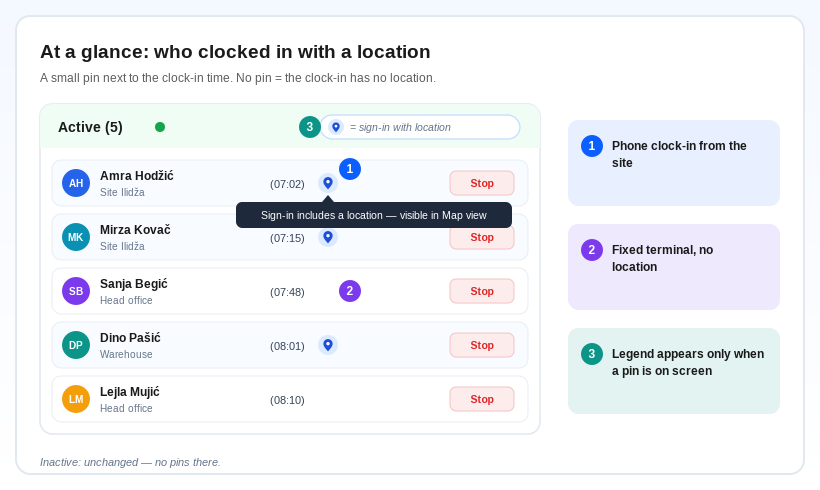
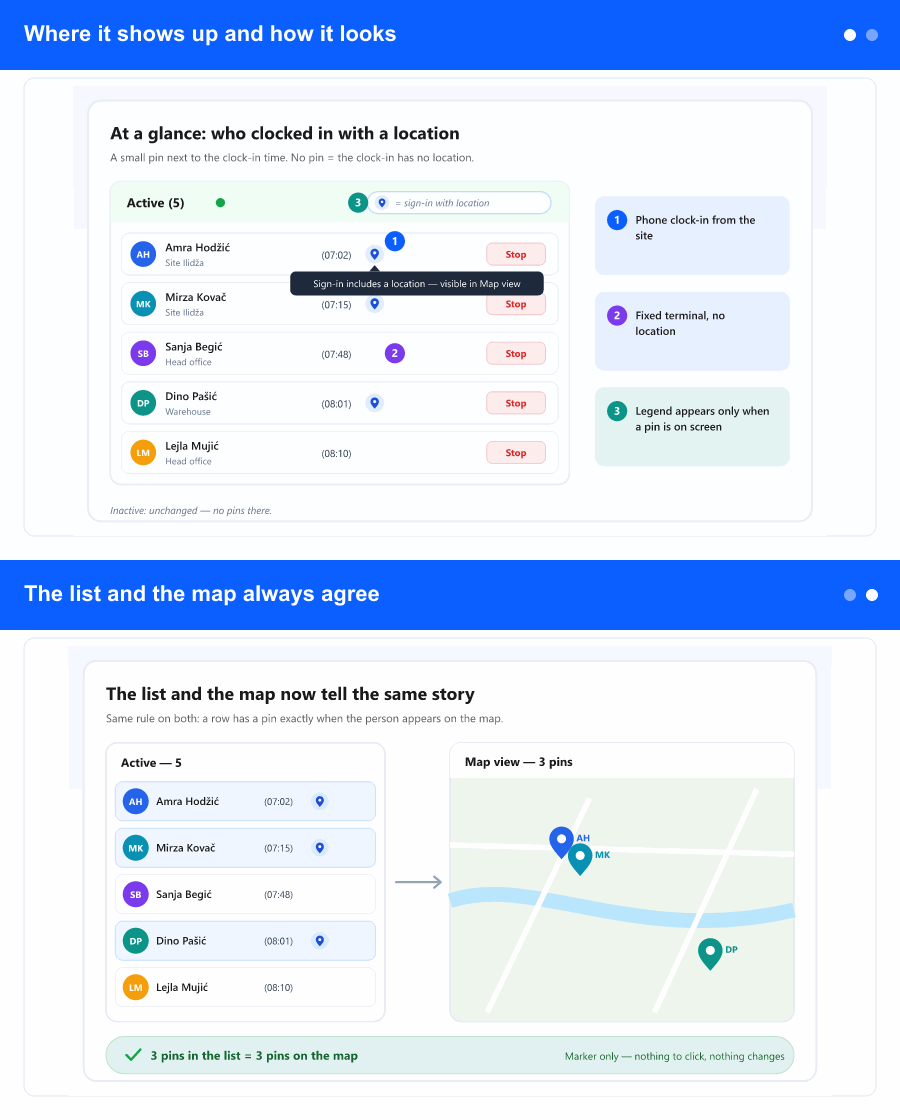
The Active column with five employees: three have a blue pin next to the clock-in time, two do not. A tooltip over a pin reads Sign-in includes a location — visible in Map view, and the column header shows the legend = sign-in with location.
① pin when the clock-in has a location · ② no pin when it doesn't · ③ legend in the header

On the live board of who is clocked in (the kiosk start/stop dashboard), every row in the Active column that has a recorded location gets a blue pin right after the clock-in time. Hover over it and it reads "Sign-in includes a location — visible in Map view".

A row without a pin means the clock-in has no location. Typically that is a fixed wall terminal, or a phone without location permission. A short legend, "= sign-in with location", appears in the column header, but only when at least one pin is on screen.

The pin looks the same whether the list is grouped by project or sorted by name.

The list and the map always agree
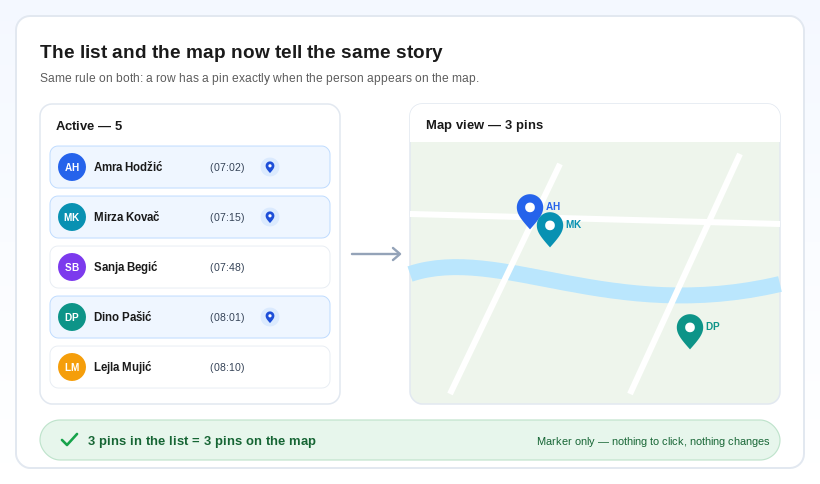
On the left the Active list with three rows marked by a pin, on the right the map view with the same three pins. Below: 3 pins in the list = 3 pins on the map.
Same rule in the list and on the map

Anyone with a pin in the list is on the map. Anyone without one isn't on the map either. You no longer have to open the map and count who is missing: the list already shows whose clock-ins came in without a location.

Why it helps

Faster check. One look at the list tells you which clock-ins came with a location and which didn't.

Fewer surprises on the map. If someone is missing from the map, the list tells you why: their clock-in has no location.

Nothing changes in how you work. The pin is only a marker. It isn't clickable, it never blocks a clock-in, and it changes nothing in the timesheet.

Earlier: Who is on which site, without picking up the phone · Location as a record, not a barrier

The pin is shown only in the Active column; the Inactive column is unchanged. Whether a clock-in has a location depends on how the person clocks in and on their location-control setting (for example, the No location option never records one). The screen is visible to users who already have access to the clocked-in board.