The problem it solves
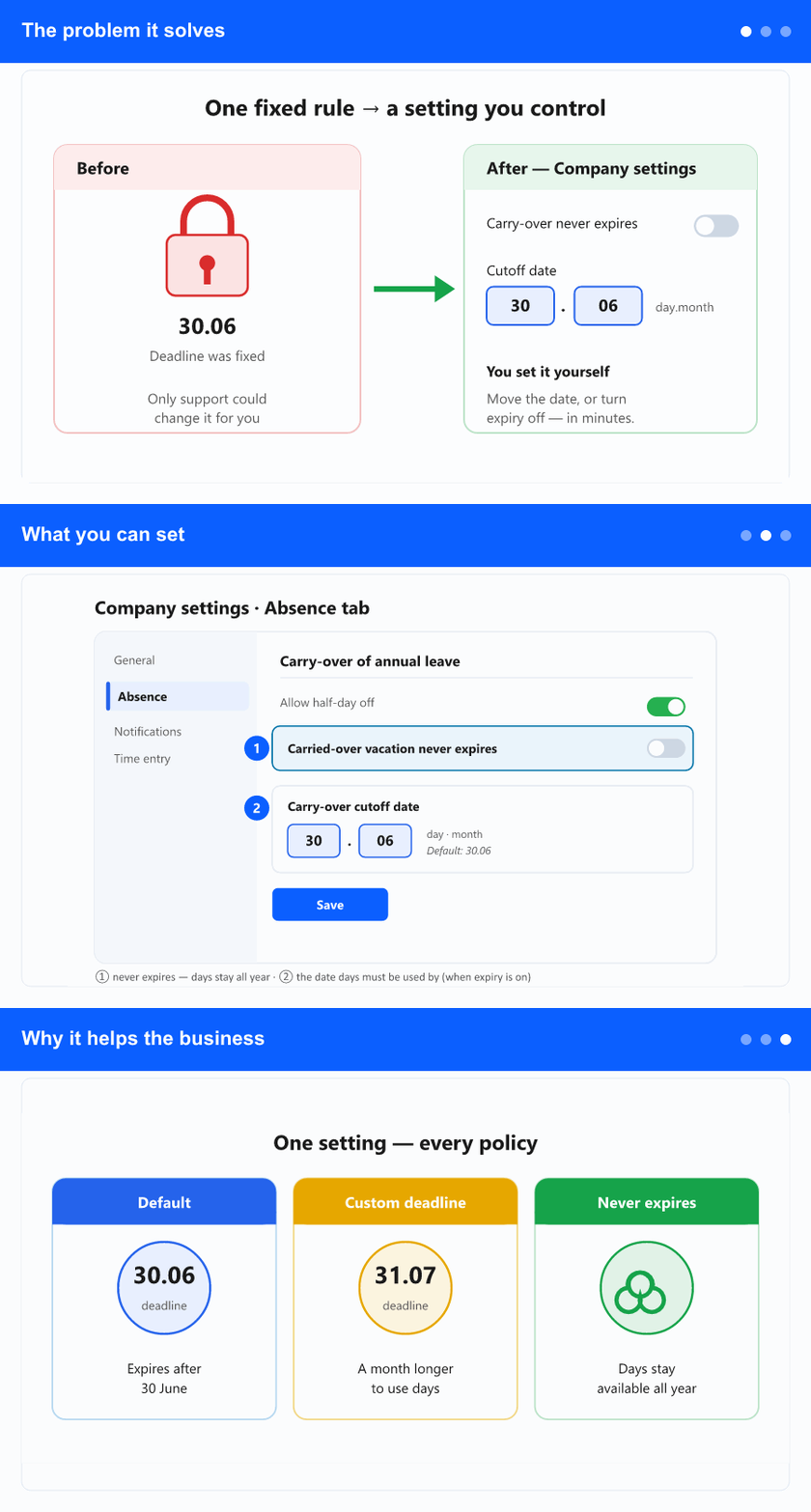
Vacation days an employee didn’t use last year are carried over into this year, and by default they must be used by 30 June — after that the unused carry-over expires. That rule, and the exception for companies whose carry-over never expires, used to be fixed: changing it meant asking our team to adjust it behind the scenes. Companies with a different policy — a later deadline, or no expiry at all — had no way to set it themselves.
Where you’ll see it
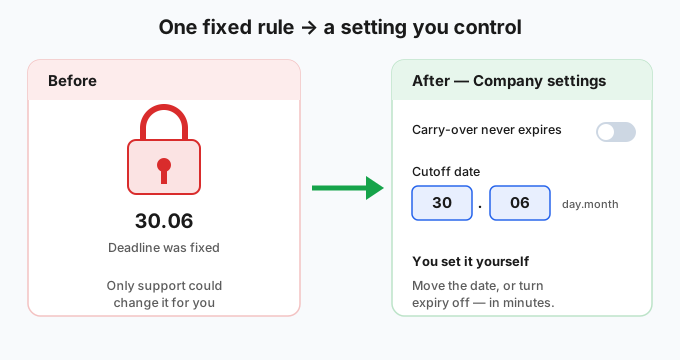
Open Company settings and go to the Absence tab. Alongside the other leave options you’ll find two new controls for carry-over — a switch and a cutoff date. Changes apply to your whole company as soon as you save.
What you can set
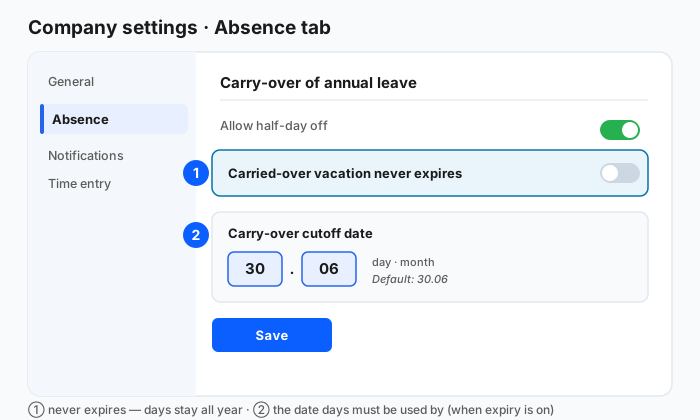
“Carried-over vacation never expires.” Turn this on and carried-over days stay available all year — nothing is lost at any deadline, and the balance isn’t capped. Leave it off (the default) and unused carry-over expires after the cutoff date, the way most companies run it.
The cutoff date (day and month). This is the date by which carried-over days must be used. It defaults to 30 June, but you can move it — for example to 31 July — to match your own rules or a collective agreement. It applies only when carry-over is set to expire.
Why it helps the business
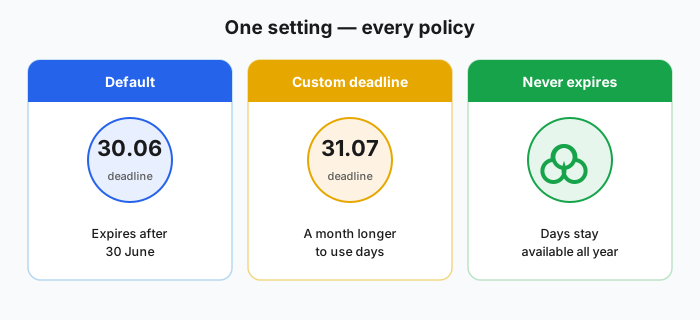
Your vacation policy is now yours to set — in minutes, without a support request. Whatever you choose is applied consistently everywhere the carry-over is shown: the vacation reports and the carry-over expiry report reflect your date, and a company where carry-over never expires is clearly marked as such instead of chasing a deadline that doesn’t apply.