Only the paper, nothing else
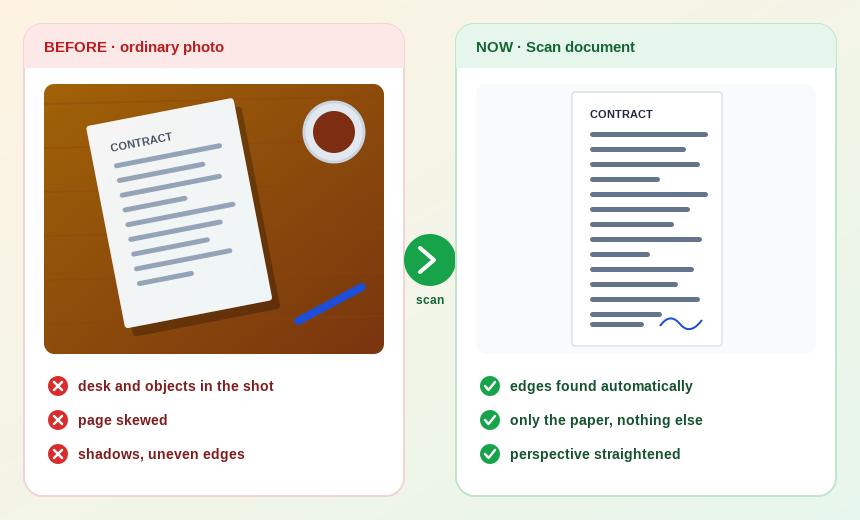
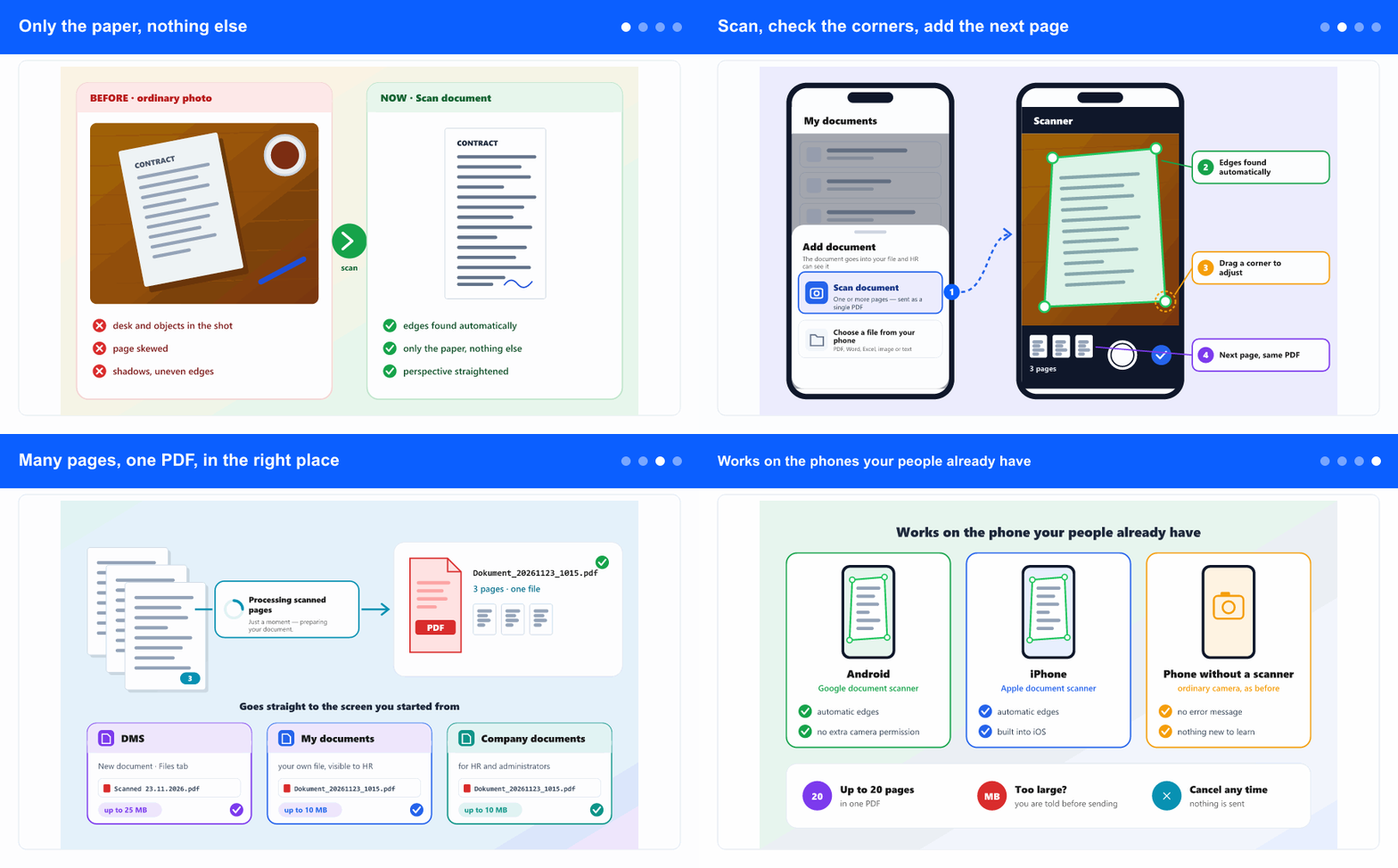
Until now a document photographed in the app was just a photo: the page was often skewed, and the desk, a mug or a hand ended up in the picture. Whoever opened it later had to rotate it, zoom in and guess the text at the edges.
The scanner recognises the edges of the paper by itself, keeps only the page and straightens its perspective, so the result looks as if it came from an office scanner.
Scan, check the corners, add the next page
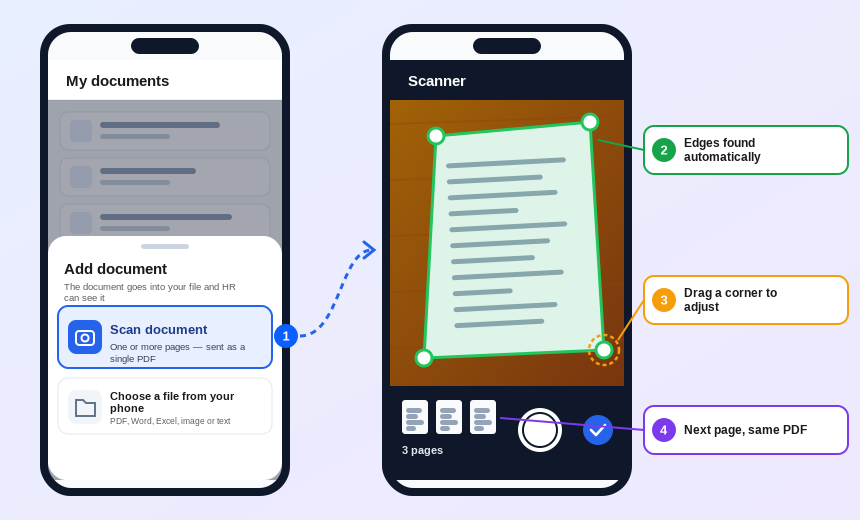
Where you used to take a photo, you now choose Scan document. The phone's own scanner opens and outlines the paper in green as soon as it sees it. If a corner is not quite right, drag it into place before you confirm.
Then simply scan the next page. Everything you scan in one go ends up in the same document, in the order you scanned it.
Many pages, one PDF, in the right place
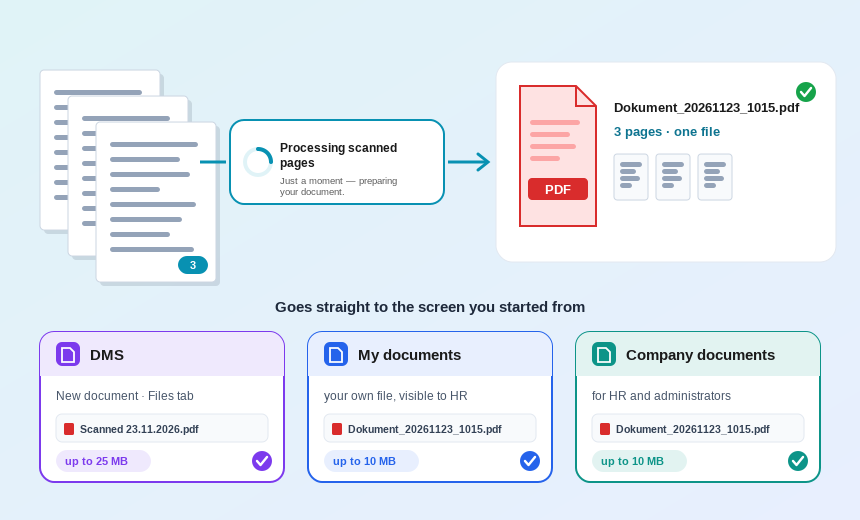
When you finish, the app briefly shows Processing scanned pages and joins all pages into one PDF. The pages are compressed the same way as photos were before, so the file stays a manageable size.
The scanner is available everywhere you add a document from the phone:
- DMS: when you create a new document, and on the Files tab of an existing one. You still see the page preview, can add or remove pages and name the file before saving.
- My documents: a sick note, a certificate or a signed form goes straight into your own file, where HR can see it.
- Company documents: HR and administrators scan a document straight into the company's documents.
Works on the phones your people already have
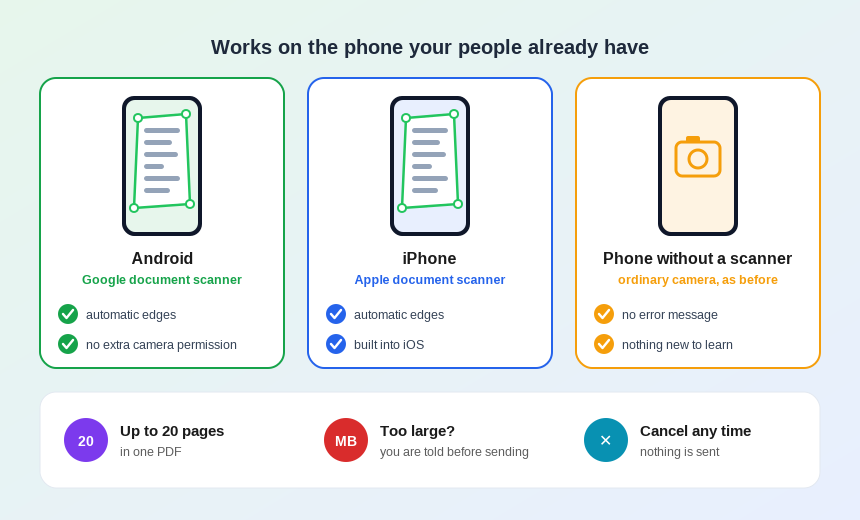
On Android the app uses Google's document scanner, and on iPhone the scanner built into iOS. A phone that has no scanner (for example some phones without Google services) opens the ordinary camera, exactly as before, with no error message. Nobody is left without a way to send a document.
- One PDF holds up to 20 pages.
- If a PDF would be larger than the screen allows (25 MB in the DMS, 10 MB in My documents and Company documents), the app tells you before sending and suggests sending the rest as a second document.
- Changed your mind? Cancel in the scanner and nothing is sent.
Why it helps
- Readable documents the first time. HR and the office get a clean page, not a photo to rotate and zoom.
- One file instead of a pile of photos. A three-page contract is one PDF, in the right order.
- No office scanner needed. Paper is sent the moment it is signed, wherever you are.
- Nothing new to learn. The option is where the camera used to be, and phones without a scanner work as before.