Your documents, one tap away
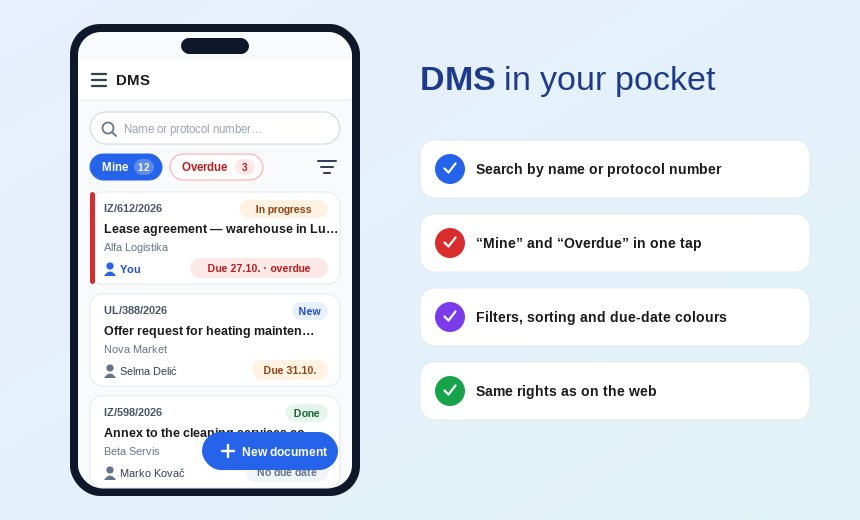
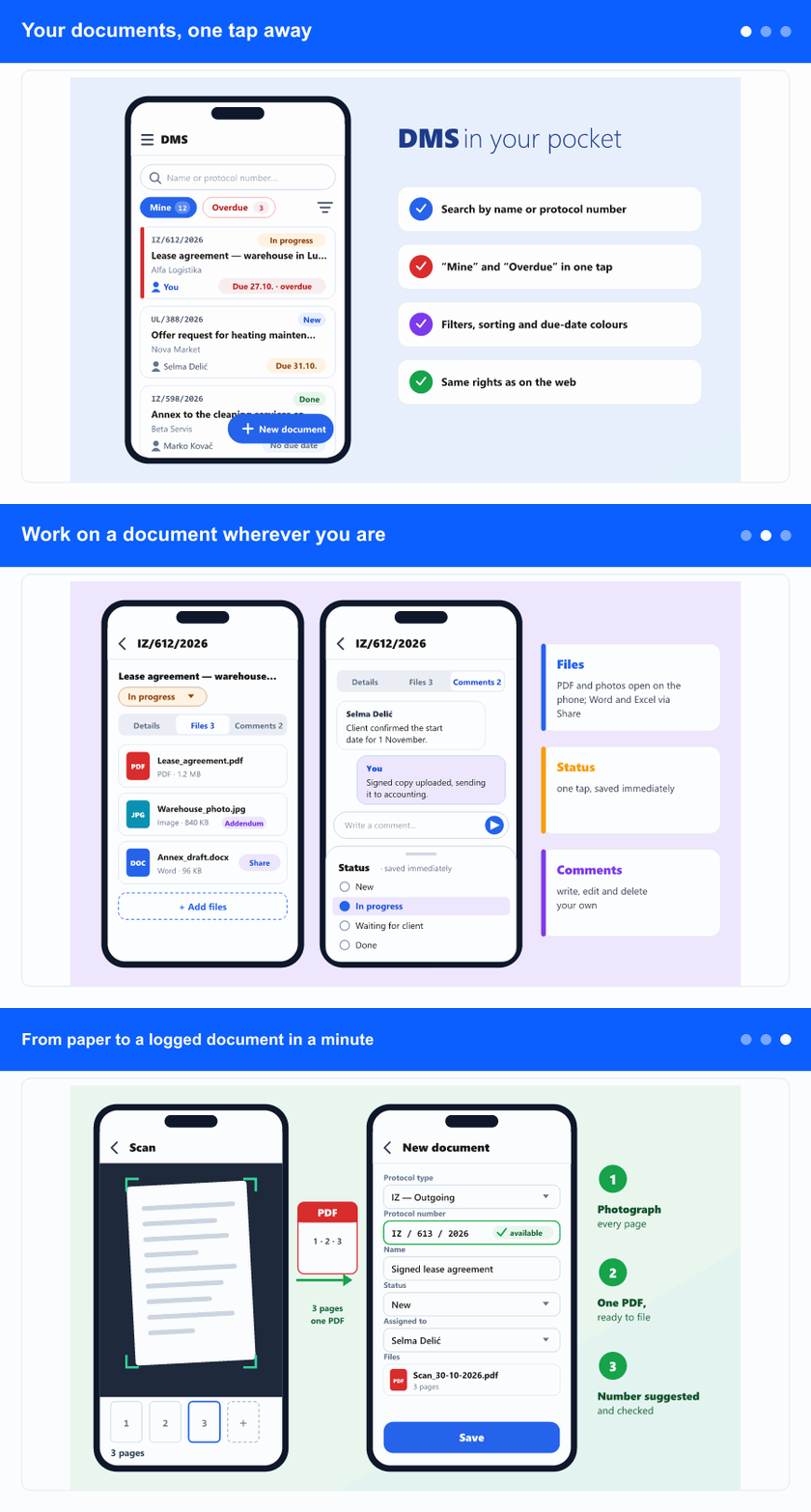
Open DMS in the app menu and you see the same documents you see on the web. Search by name or protocol number. Two quick toggles show their counts: Mine (documents assigned to you or created by you) and Overdue. For anything more specific, the filters cover status, protocol type, client, assignee and a due-date range, and you can sort the list the way you like. The app remembers your sort order.
Each card shows the protocol number, status, name, client and who the document is assigned to. Due dates speak for themselves: overdue is marked in red with the word “overdue”, a due date in the next few days is yellow, and finished documents are never shown as overdue.
Work on a document wherever you are
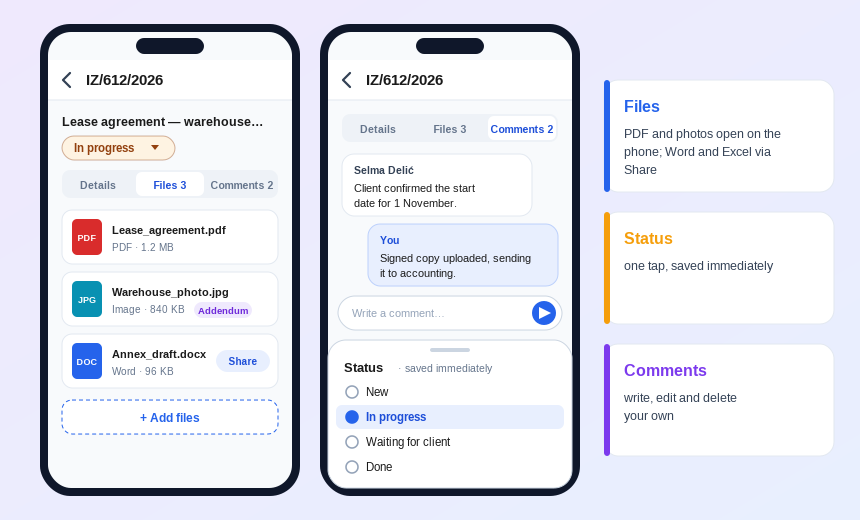
A document opens with three tabs: Details, Files and Comments. The status is a button: tap it, pick the new status, and it is saved right away. PDFs, photos and text files open on the phone. Word, Excel and similar files open in another app through Share. You can add new files from the phone, and they are attached as an addendum.
Comments work as on the web: write one from the bar at the bottom, and edit or delete your own. With Edit you can change the name, status, client, due date, assignee and departments. The heads of newly added departments are notified by email, just as on the web.
From paper to a logged document in a minute
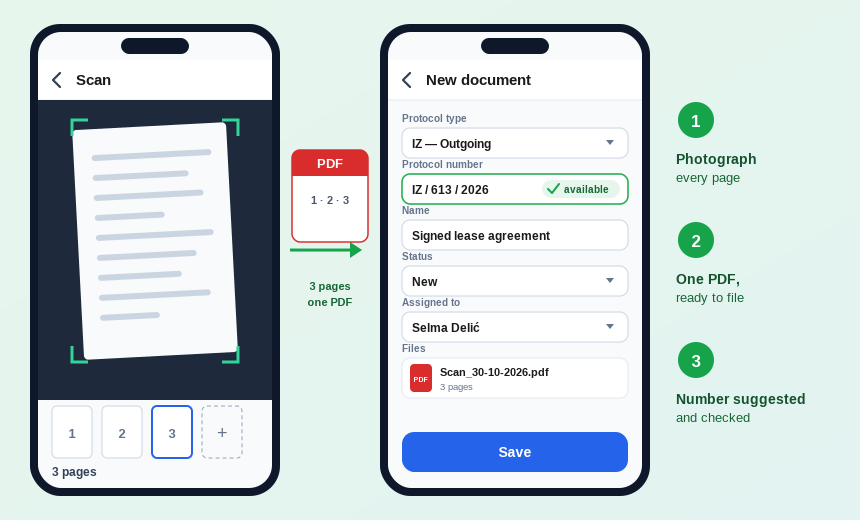
A contract signed on site, a delivery note, a letter that just arrived: tap New document, choose Photograph document and photograph the pages one by one. The app joins them into a single PDF (up to 20 pages). You can also pick files that are already on the phone.
The form suggests the next protocol number for the chosen protocol type and checks that it is still free. It also pre-fills the person responsible for that type, the same way the web does. Fill in the name, status and assignee, and save. The document is created with all its files at once. If something goes wrong on the way, nothing is saved halfway and you can simply try again.
Why it helps
Documents stop waiting for someone to get back to the office. Statuses are updated when the work actually happens, overdue items are visible to the people responsible wherever they are, and paper is logged the moment it arrives, with no scanner and no retyping. Because the app uses the same rights as the web, everyone sees exactly what they are allowed to see, and nothing more.