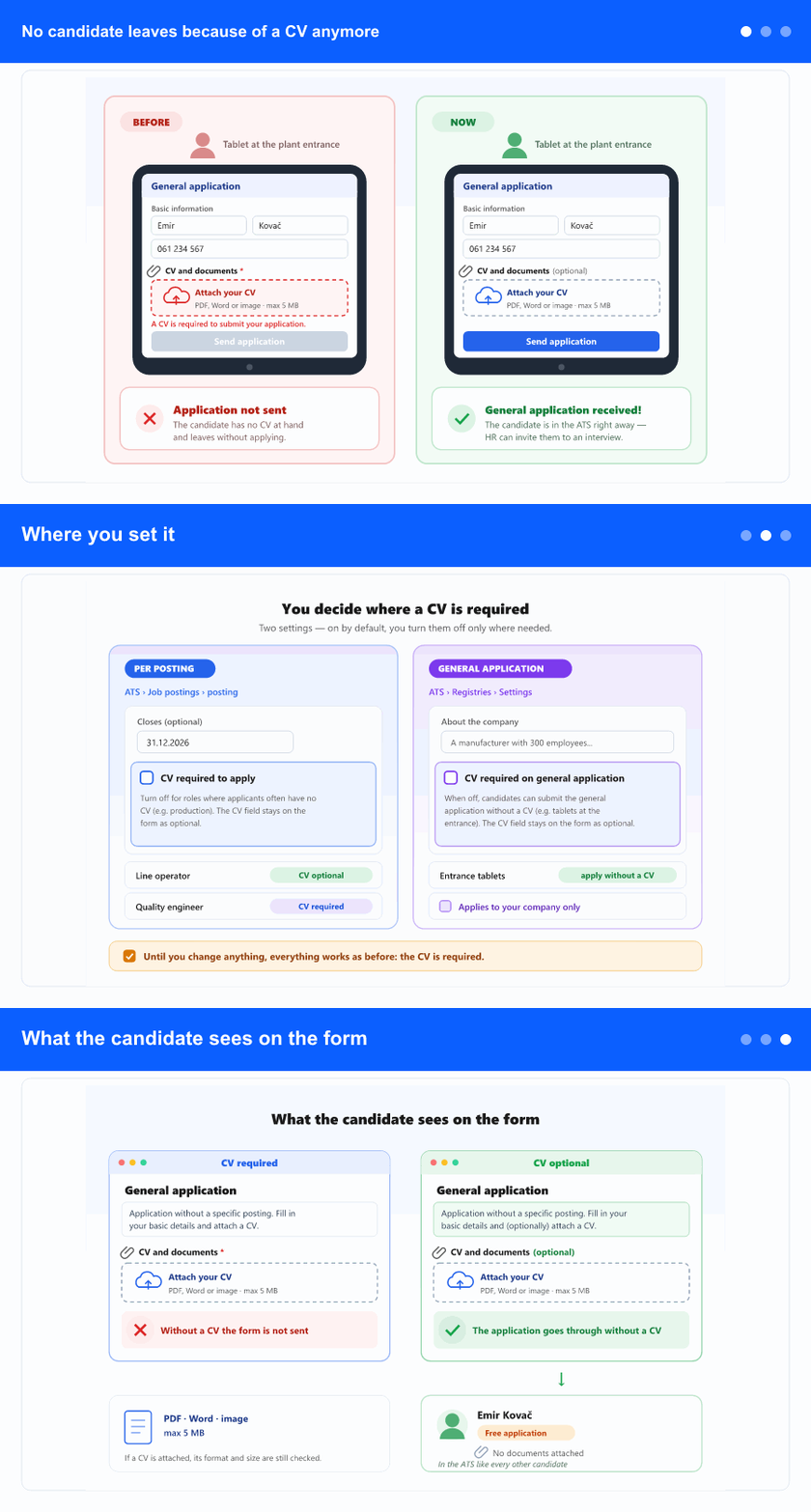
No candidate leaves because of a CV anymore
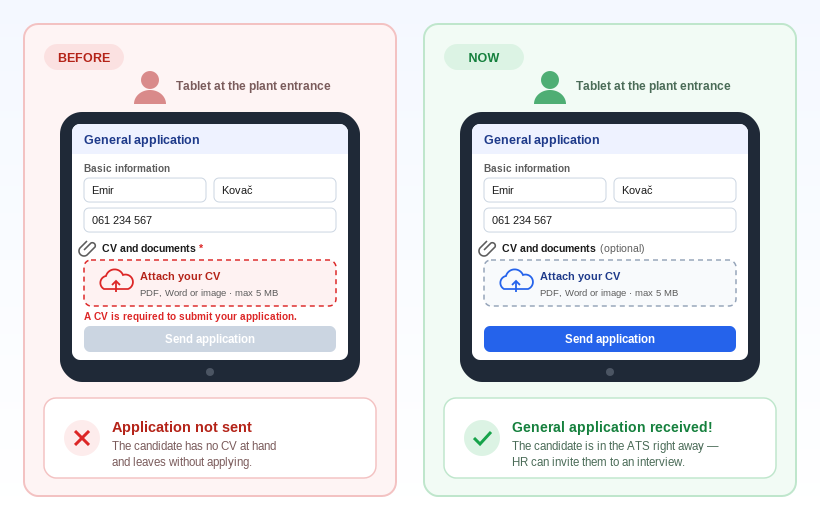
Many companies take candidates through a general application on a tablet on the ground floor or at the gatehouse. People applying for production roles rarely have a CV on their phone, and until now the form wouldn't send the application without one. HR was losing exactly the candidates it needed most.
Now the CV on such an application can be optional. The candidate enters their name and contact, sends the application and is on your candidate list right away.
Where you set it
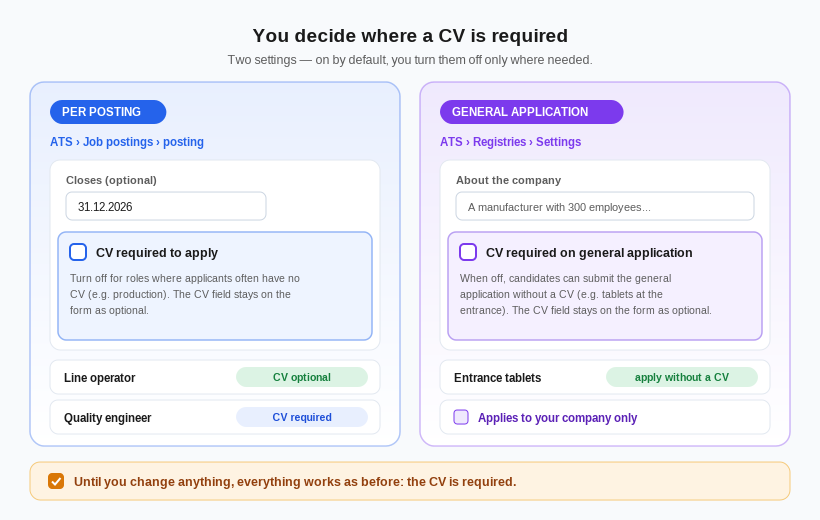
Per posting: on the posting details (ATS → Job postings → a posting), in the right column under the Closes field, there is a new option "CV required to apply". Turn it off for roles where applicants often have no CV, such as a line operator. For roles where you need a CV, say a quality engineer, leave it on.
For the general application: in ATS → Registries, on the Settings tab (where the public page language and the "About the company" text are), there is a new setting "CV required on general application". Turn it off if candidates come through tablets at the entrance.
Both options are on by default, including on all existing postings. Until you change anything, everything works as before. A new posting always starts with the option on, so you make a conscious choice for each role.
What the candidate sees on the form
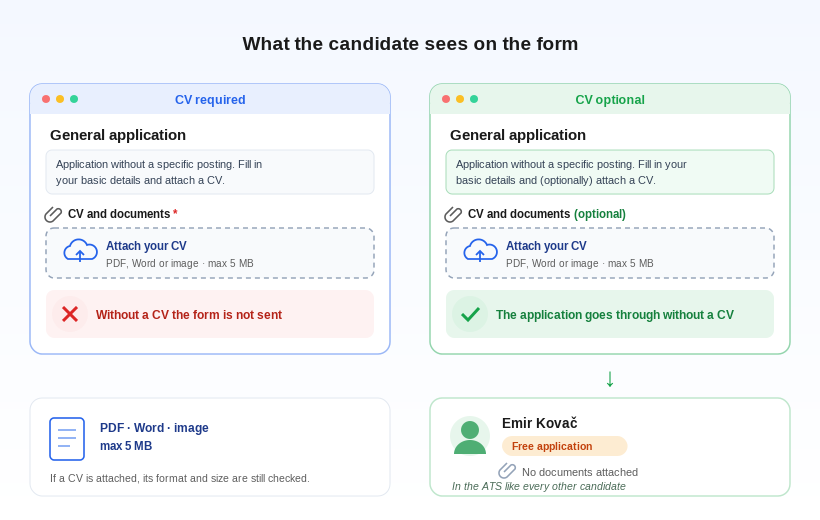
When the CV is optional, the CV field stays on the form, just without the asterisk and with the label "(optional)". Anyone who has a CV can still attach it, and its format and size are checked as before. On the general application the intro text also tells the candidate the CV is optional.
When the CV is required, everything is as before: without a CV the candidate sees "A CV is required to submit your application."
A candidate who applies without a CV appears in the ATS like everyone else, just without a document. There is also no AI analysis of the CV for them, since there is nothing to analyse.
Why it helps
- More applications for hard-to-fill roles. No more candidates giving up at the last step because they have no CV at hand.
- You decide for every role. For skilled roles the CV stays a requirement; for production roles you turn it off with one click.
- No risk for existing postings. Everything stays as it is until you turn the option off yourself, and the setting applies to your company only.
The steps are in the guides Create a job posting and Public careers page settings.