Where you’ll see it
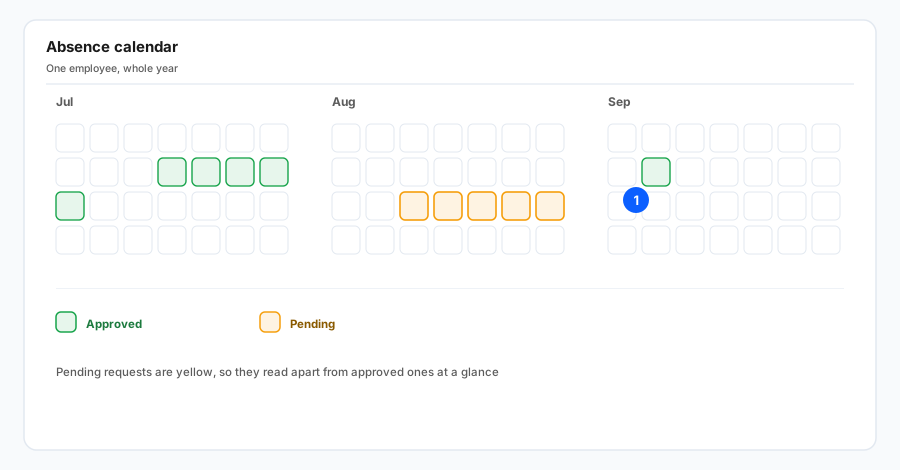
The change is on the employee absence screen (the overview for a single person), in the year calendar that shows absence types by day across the year. It is the same view you already use for a quick picture of someone’s leave pattern alongside other markers on the calendar.
What yellow means
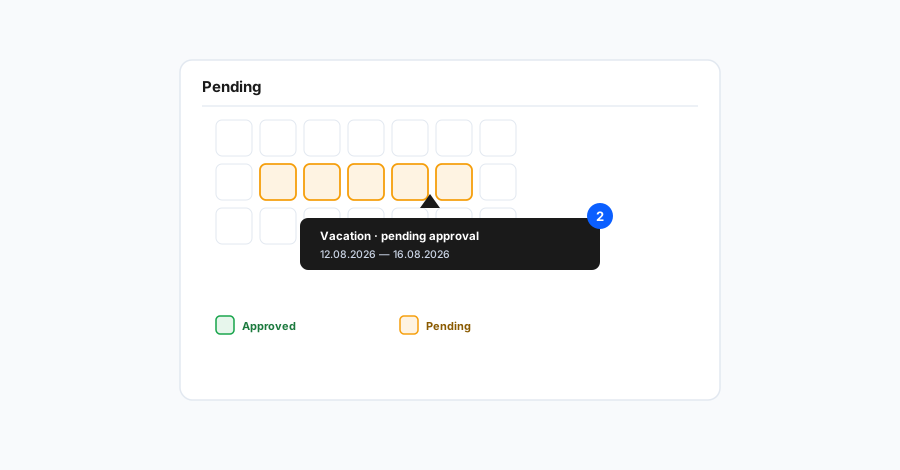
Days that belong to leave still waiting for approval (not yet accepted in your workflow) are marked in yellow. Approved absences keep using the colours for each absence type as before—yellow is a shared signal for “this part of the calendar still needs a decision,” not a replacement for a specific leave category.
The calendar legend includes the same yellow swatch so HR, the manager, and the employee share one reading of the screen. When you hover a day or open the short detail the product shows for that date, you still see the request specifics (type, duration, status)—yellow is a visual shorthand, not a substitute for detail.
For a half-day request, yellow can combine with the half-day display, like other types. Public holidays keep their usual styling; yellow for pending refers to absence, not to the holiday itself.
Why it helps
When you plan capacity, payroll, or approvals, you often need both what is confirmed and what is still in flight. Yellow reduces the risk of overlooking open requests or mixing them up with approved leave. A manager sees at a glance where the team still owes a decision; HR answers questions like “is this final yet?” more quickly.